What are feature flags?
Deploy your code one day and release the feature another — to the users you choose, with an instant off switch.
What is a feature flag?
A switch in your code that turns a feature on or off at runtime — no redeploy required.
You wrap a piece of functionality in a named conditional and decide, live, whether it runs. That one move decouples deploying code from releasing a feature.
New code can ship to production switched off, sitting there dark, and you turn it on when you’re ready — not whenever the deploy happened to land.
Once that switch exists, it earns its keep:
- Progressive rollout — release to 1% of users, watch the dashboards, widen the cohort only once you trust it.
- Kill switch — flip an expensive or risky feature off in seconds when traffic spikes. No redeploy, no incident bridge.
- Targeted release — gate features by plan, region, or user, so the right people get the right experience.
- Experiments — send cohorts down different paths and settle the debate with data, not opinions.
Feature flags are the building block of the wider practice of feature management.
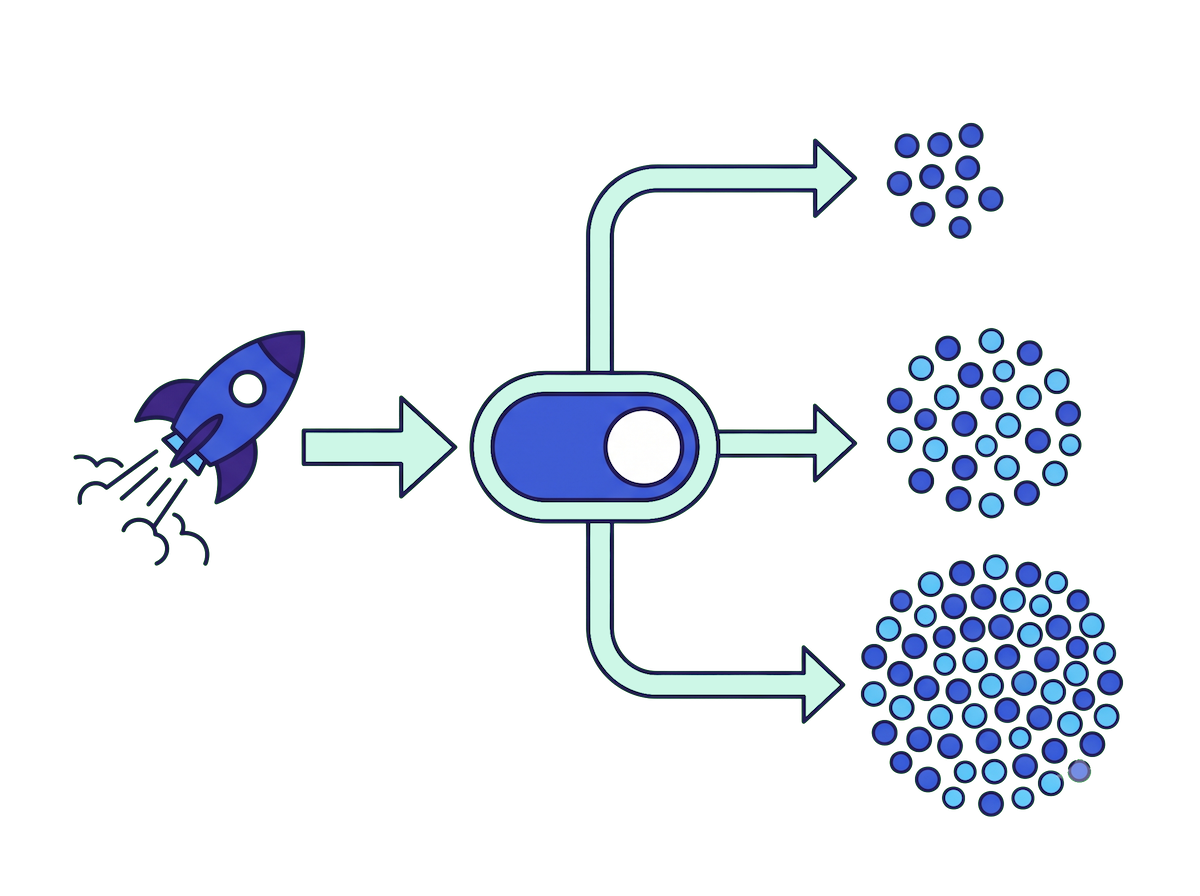
Feature flags support teams looking to:
Activate or deactivate specific application functionality
Control the visibility of certain features
Conditionally change feature behavior in real time
How feature flags work
Three pieces do the work:
- Variations — the values a flag can return. Often
on/off, but a variation can also be a string, a number, or a JSON object. - Evaluation context — who you’re asking about. A targeting key (the unique identifier we bucket on) plus any attributes you have: plan, country, beta-tester, and so on.
- Targeting rules — the logic that maps a context to a variation. Admins get the new UI. Everyone in the EU gets the old checkout. The rest get the default.
Evaluation happens at runtime. Your application asks “what’s the value of this flag for this user?” and always gets an answer back — including a safe default if anything goes wrong.
The flag returns enabled for user 1, disabled for everyone else. Same config, evaluated per user, on every request.
Want the details? Read about flag evaluation and the evaluation context.
Decouple deploy from release
Deploying code and releasing a feature used to be the same event. Feature flags split them apart. Your code ships to production turned off, and you decide — separately, later — who sees it and when.
Start with your own team, expand to 1% of users, watch your dashboards, then roll out to everyone. If something looks wrong, flip the flag back. No redeploy, no revert, no waiting on a pipeline.
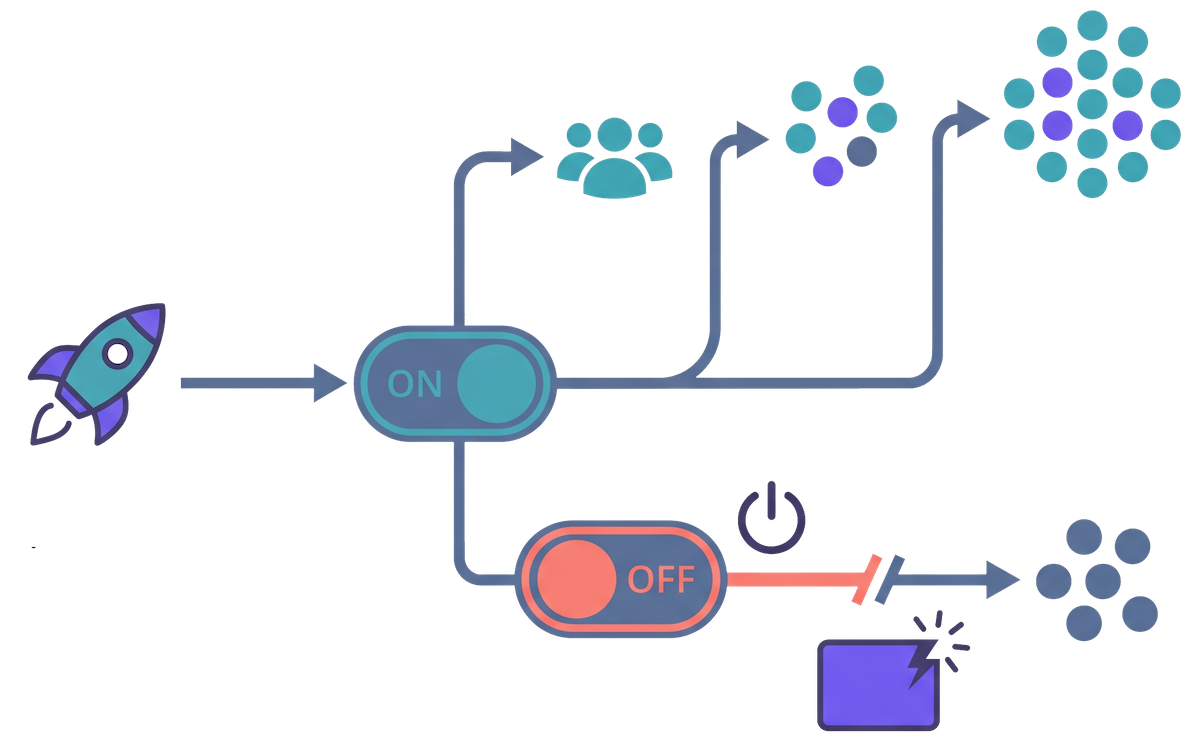
What you can do with feature flags
- Progressive rollouts — ship to 1%, then 10%, then everyone, watching your metrics as you go.
- A/B testing and experimentation — serve different variations and measure which one wins.
- Kill switches — turn a misbehaving feature off in seconds, without a deploy.
- Safe rollbacks — back out a release by flipping a flag instead of reverting a commit.
- Targeted access — beta features for opted-in users, internal tools for staff, regional features by country.
- Trunk-based development — merge unfinished work behind an off flag instead of keeping long-lived branches.
- Feature flags for AI — ship AI-generated code dark and roll out models and prompts safely, with a kill switch one flag away.
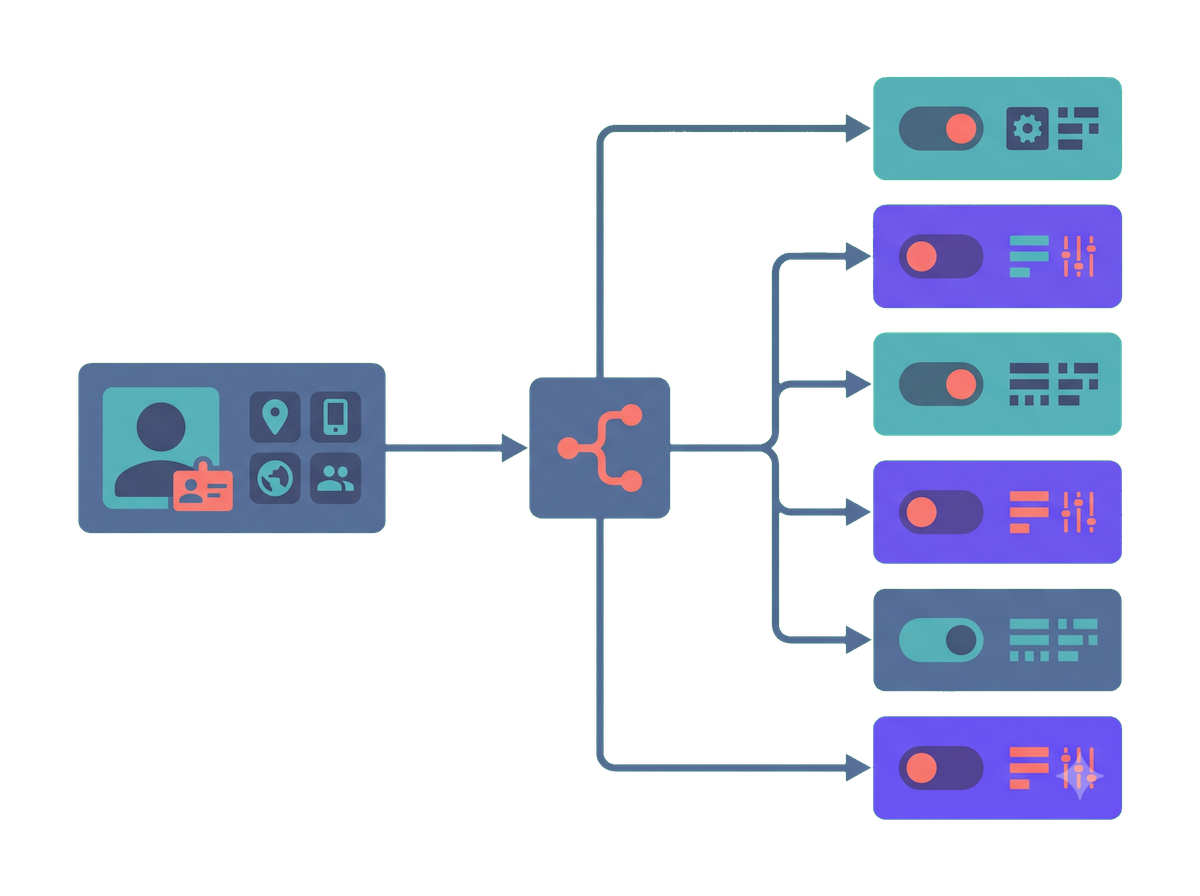
Types of feature flags
Release flags
Roll a new feature out gradually and turn it off instantly if it misbehaves.
Experiment flags
Serve different variations to measure which one performs best — A/B tests and beyond.
Permission flags
Show a feature to specific people: beta testers, internal staff, or a paid tier.
Operational flags
Kill switches and config you can flip in production without shipping a release.
A feature flag, end to end
Say you’re rebuilding checkout. Here is the whole life of one flag, start to finish:
- Define it, off by default. Merge and deploy — the old checkout still runs for everyone, so the deploy is a non-event.
- Turn it on for your team. Add a targeting rule for internal users and click through the new flow in production.
- Open the gate gradually. Serve it to 5% of traffic, watch error rates and conversion, then widen to 25% and 100% as the numbers hold.
- Clean up. Once it’s live everywhere and stable, delete the flag and the old code path.
A percentage rollout is only a few lines — bump the numbers and the relay proxy picks them up on its next poll:
Change the split in the file; no redeploy, no restart. The next poll rolls it out.
Feature flags with GO Feature Flag
You don’t need a SaaS account for any of this. GO Feature Flag is an open-source, self-hosted feature flag system. What that means in practice:
- No database. Your flags live in a file you already version in Git. The relay proxy reads it into memory and polls for changes.
- No per-seat bill. It runs on infrastructure you already own; the cost doesn’t climb with your team or traffic.
- No lock-in. Apps read flags through standard OpenFeature SDKs, so you can swap the backend out anytime.
- MIT-licensed. The whole project is free, with no paywalled feature tier.
The honest tradeoff: you self-host it, so you run it. For teams that want to own their data and keep their bill flat, that’s usually the reason they choose it.

Point the relay proxy at your config file and you have a working flag backend:
One container, one YAML file, two lines of SDK code. That's the whole setup.
Built on OpenFeature
GO Feature Flag speaks OpenFeature, the vendor-neutral standard for feature flagging. Your apps evaluate flags through the standard SDKs, not a proprietary client.
That’s what keeps you free to leave: outgrow us, change your mind, or mix tools later, and your evaluation code stays the same.

Lifecycle and flag debt
Not every flag is temporary, and treating them all the same is how teams get into trouble.
- Release flags are short-lived. They exist to ship one feature safely, then they should be removed. Left behind, they become flag debt — dead conditionals that make code harder to read, test, and reason about.
- Operational and permission flags can live for years. Kill switches and entitlement checks are part of how the system runs, not temporary scaffolding.
The discipline that keeps flags from rotting is simple: give every flag an owner and an expected lifespan, review the list on a schedule, and delete release flags the moment a feature is fully live. A flag you’re afraid to remove is a flag you no longer understand.
Feature flag best practices
A few habits keep feature flags from turning into technical debt:
- Keep release flags short-lived. Delete them once the feature is fully rolled out.
- Name them so anyone can read them —
release-new-checkouttells you what it does and when it can go. - Default to off, and pick a safe fallback value for every evaluation.
- Test both states — the on path and the off path.
- Know who owns each flag, and review the list regularly.
We go deeper in the feature flag best practices guide.
Ship your first flag in minutes
One Docker container, a YAML file, and two lines of SDK code. Self-hosted, OpenFeature-native, MIT-licensed.